
Understanding IAB Tech Lab's Open Measurement SDK (OM SDK v1.5) for Web Video, In-App, and CTV
When an OpenRTB 2.6 bid request reaches a tier-1 demand-side platform (DSP) without integer 7 declared in the imp.video.api or imp.banner.api array
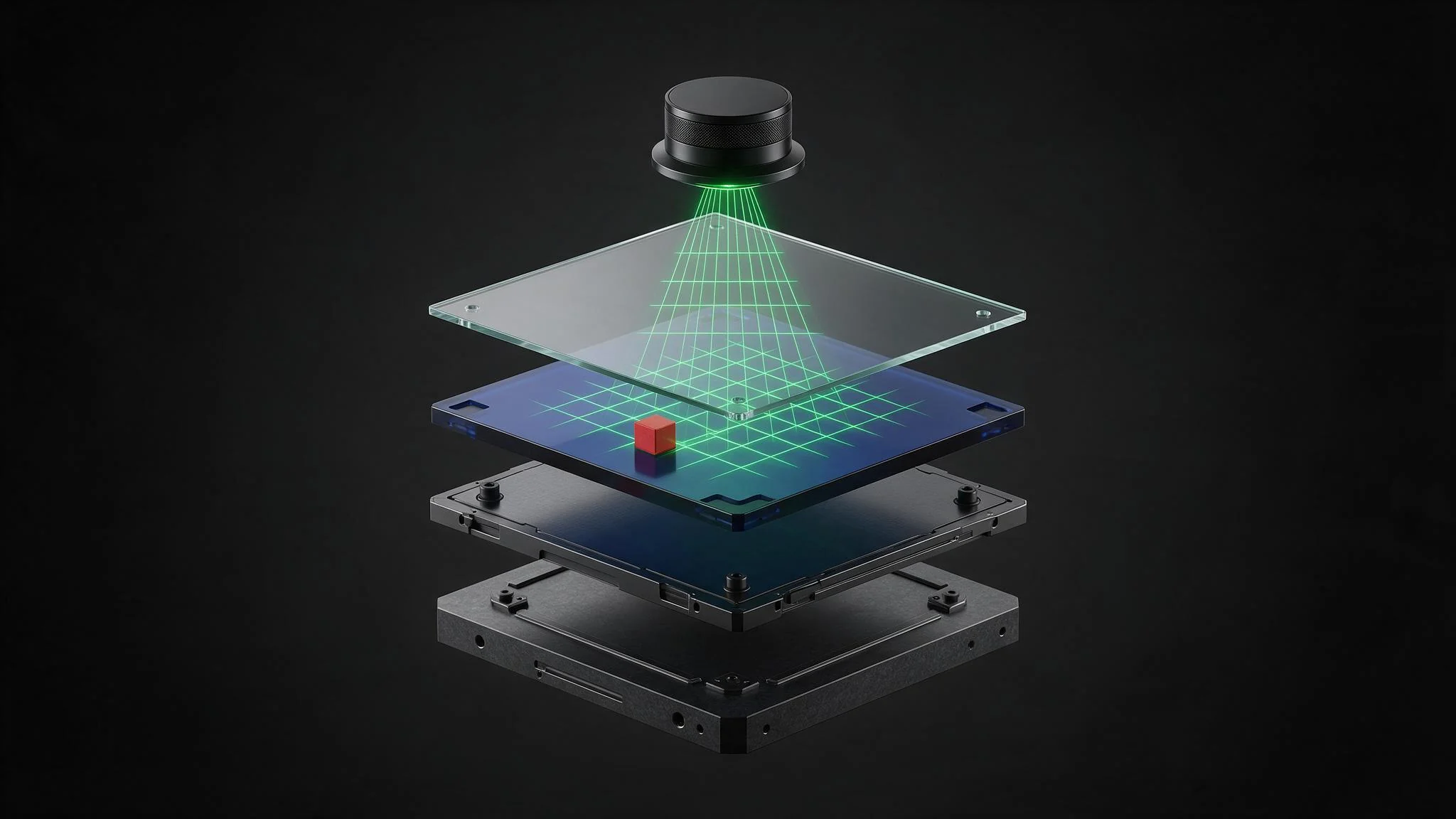
When an OpenRTB 2.6 bid request reaches a tier-1 demand-side platform (DSP) without integer 7 declared in the imp.video.api or imp.banner.api array, automated pre-bid verification filters immediately classify the impression as unmeasurable for Open Measurement Interface Definition (OMID) telemetry. In programmatic auctions where agency trading desks enforce strict Media Rating Council (MRC) viewability thresholds, missing or malformed OMID signaling either disqualifies the supply path from high-value private marketplace (PMP) deals or triggers aggressive bid shading that depresses clearing prices by 35% to 60%. For publishers monetizing mobile applications, web video players, and Connected TV (CTV) inventory, viewability attestation is a foundational protocol requirement that directly dictates bid density and effective yield.
The IAB Tech Lab Open Measurement SDK (OM SDK v1.5), updated in November 2025, standardizes third-party viewability and invalid traffic verification across mobile apps, web video, and CTV via the Open Measurement Interface Definition (OMID) API. Rather than forcing application developers to embed and maintain separate native libraries for every verification vendor demanded by buyers, OM SDK establishes a single, open-source telemetry engine inside the host application or video player. That native layer exposes standardized geometry, lifecycle, and media playback events to lightweight JavaScript verification scripts delivered inside the ad response.
Executing a clean OM SDK v1.5 implementation requires coordination across three distinct operational layers: native SDK initialization and session management within the client application, accurate OpenRTB 2.6 parameter signaling (api: [7], omidpn, and omidpv) across header bidding wrappers and SSP pipes, and rigorous UI view hierarchy hygiene to prevent custom player controls from registering as hostile viewability obstructions.
How OM SDK v1.5 Eliminates Multiple Proprietary Verification SDKs
Prior to the adoption of the Open Measurement framework, mobile app and CTV publishers faced a severe SDK bloat and version fragmentation crisis. Because mobile operating systems sandbox native application views and restrict cross-origin DOM inspection inside webviews, standard browser-based JavaScript measurement tags (IntersectionObserver or geometric frame polling) fail to accurately measure whether an in-app banner or video player is actually visible on the physical device screen. To verify inventory for brand buyers, publishers had to compile four or five proprietary verification vendor SDKs directly into their iOS IPA and Android APK binaries.
That legacy architecture created compounding engineering failure modes. Every proprietary verification SDK ran its own independent view-tree traversal timer on the application's main UI thread, consuming CPU cycles, accelerating battery drain, and introducing frame drops during scroll events. Namespace collisions between competing measurement libraries regularly broke build pipelines, and any vendor SDK update required a full application binary resubmission and app store review cycle. On memory-constrained CTV devices, loading multiple heavy native verification libraries alongside high-bitrate video decoders frequently triggered out-of-memory (OOM) crashes.
OM SDK resolves this bottleneck by decoupling native operating system introspection from vendor-specific verification logic. The publisher integrates a single library maintained by the IAB Tech Lab (or relies on the bundled OM SDK instance shipped inside primary ad rendering SDKs such as the Google Mobile Ads Next-Gen SDK, Google IMA SDK, or Prebid Mobile SDK). During an ad session, the OM SDK native layer inspects the device screen geometry, audio hardware state, and application lifecycle at a standardized 200-millisecond polling interval. It then serializes those measurements into JSON events and passes them across an internal JavaScript bridge to the OMID JS Service (omid-session-client-v1.js).
Third-party verification vendors no longer ship compiled native code to the publisher. Instead, buyers attach a vendor's lightweight JavaScript verification resource inside the VAST <AdVerifications> node or display creative payload. The OM SDK executes that script inside an isolated, restricted context where the script subscribes to the standardized OMID API. With the November 2025 release of OM SDK v1.5, the specification further unified session lifecycle edge cases, enhanced background state detection across mobile and CTV operating systems, and hardened invalid traffic (IVT) environment signals, strengthening our OMID measurement and verification infrastructure across all supply channels.
OM SDK Architecture Across Environments
At the protocol level, every OM SDK v1.5 integration operates through four coordinated components: the Native Implementation Layer (or DOM Observer Layer in web video), the OMID JS Service Library, the Partner Ad Session API, and the Verification Script Sandbox. When an ad creative is about to render, the host SDK initializes an AdSession object, binds it to the specific UI container holding the ad, and injects the verification vendor scripts declared in the bid response.
To maintain strict security boundaries, verification scripts never gain direct references to the host application's native views or the publisher's page DOM. Instead, the OM SDK dispatches immutable state snapshots through four formal event streams:
- AdSession Lifecycle Events: Signals
sessionStart,sessionError, andsessionFinish. Callingfinish()when an ad unloads is mandatory so the native layer releases view references and stops polling timers. - AdEvents: Signals
loaded(carryingVastPropertiesfor video, such as skip offset and autoplay status) andimpressionOccurred(triggered according to the MRC one-pixel or begin-to-render rule). - GeometryEvents: Emits viewport dimensions, creative container coordinates (
x,y,width,height), percentage of pixels in view, and clip bounds calculated against parent scroll containers and overlapping views. - MediaEvents: Emits granular video and audio playback telemetry including
start,firstQuartile,midpoint,thirdQuartile,complete,pause,resume,bufferStart,bufferFinish,skipped,volumeChange, andplayerStateChange(such as transitioning between inline, fullscreen, and picture-in-picture modes).
OMID for Mobile App (iOS/Android Native View Obstruction Detection)
In native iOS (UIKit and SwiftUI) and Android (android.view.View and Jetpack Compose) applications, determining whether an ad is viewable requires recursive window hierarchy inspection. A WKWebView or ExoPlayer surface knows its own internal bounds, but it has zero native visibility into whether the host application has scrolled the container partially off-screen, placed a translucent navigation drawer over the ad, or minimized the application to the background.
The OM SDK native layer on iOS and Android solves this by walking the active window's view tree from the root window down to the registered ad view. On every 200ms tick, the SDK computes the intersection between the ad view's global screen coordinates and the device display bounds. It then iterates through all sibling and parent views rendered at a higher z-index (translationZ or elevation on Android; subview ordering and CALayer.zPosition on iOS). If an opaque or semi-transparent UI element overlaps the ad container, the OM SDK calculates the exact bounding box of the covered region and subtracts those obstructed pixels from the net viewable area reported to verification scripts.
Mobile app engineers must explicitly configure the CreativeType and ImpressionType when initializing an AdSessionConfiguration to match the rendered format:
- Display Banner and Interstitial: Uses
CreativeType.HTML_DISPLAYorCreativeType.NATIVE_DISPLAYpaired withImpressionType.VIEWABLEorImpressionType.BEGIN_TO_RENDER. The OM SDK injects the OMID JS service directly into the creative's webview context or creates a hidden headless webview for native assets to execute the verification scripts. - In-App Video and Audio: Uses
CreativeType.VIDEOorCreativeType.AUDIOpaired withImpressionType.BEGIN_TO_RENDER. Because video rendering typically occurs inside a native media player (AVPlayeron iOS orExoPlayeron Android) rather than a webview, the OM SDK spawns an invisible JavaScript execution context (JSCoreor an off-screenWebView) dedicated solely to running the OMID service and the VAST<AdVerifications>scripts.
When publishers monetize through Prebid Mobile alongside the Google Mobile Ads (GMA) Next-Gen SDK, session ownership must never be duplicated. The SDK that actually renders the creative pixels owns the AdSession lifecycle. For Prebid-rendered placements, the Prebid Mobile SDK initializes the OMIDPartner namespace and dispatches geometry events; for mediation or AdX dynamic allocation winners, the GMA SDK manages the OMID session natively.
OM SDK for Web Video vs. CTV (tvOS, Android TV, and HTML5 Smart TVs)
While mobile app integrations rely on native OS view walkers, web video and CTV environments introduce distinct architectural constraints around iframe sandboxing, cross-domain access, and television hardware states.
In browser-based web video (omweb-v1.js), the industry migration away from VPAID 2.0 eliminated the ability of verification vendors to bundle executable JavaScript wrappers that took direct control of the publisher's <video> element. VPAID scripts frequently increased time-to-first-frame latency by 400ms to 900ms and caused playback failures when verification code threw uncaught exceptions. OM SDK for Web Video replaces VPAID verification by splitting responsibilities between two components: the omweb-v1.js service library loaded by the video player, and the omid-session-client-v1.js library loaded inside a sandboxed cross-domain iframe hosting the verification vendor's script. The player's integration layer uses browser IntersectionObserver and MutationObserver APIs to measure the <video> element's geometry and forwards playback events across postMessage channels to the sandboxed verification iframe.
Connected TV environments span both native operating systems (Apple tvOS and Android TV / Fire TV) and HTML5-based Smart TV platforms (Samsung Tizen and LG webOS). Delivering verified CTV video formats requires handling television-specific hardware behaviors that do not exist on mobile phones:
- Apple tvOS and Android TV: Integrate the native OM SDK libraries (
OMSDK_tvosandOMSDK_android). Because CTV ads almost universally render fullscreen (PlayerState.FULLSCREEN), view-tree obstruction checks primarily guard against channel guide overlays, pause screens, or buffering spinners blocking the video surface. - Tizen and webOS HTML5 Applications: Utilize the OM SDK for Web Video (
omweb-v1.js) embedded inside the packaged Smart TV web application, configured with CTV-specific environment declarations so verification scripts recognize the device class as Connected TV rather than desktop web. - HDMI and Standby Telemetry: A critical CTV fraud vector occurs when a streaming stick or set-top box continues requesting and playing video ads after the user has powered off the television display. OM SDK v1.5 standardizes background and display-state monitoring (
ActivityLifecycleCallbackson Android TV,UIApplicationDidEnterBackgroundNotificationon tvOS, and HDMI-CEC active source states where exposed by the OS) to immediately drop viewability percentage to0%when the screen is inactive. - Server-Side Ad Insertion (SSAI) Hybrid Verification: When CTV streams are stitched server-side, the video player receives a continuous HLS or DASH manifest rather than individual VAST tags. To support OMID in SSAI workflows, the stitcher extracts the
<AdVerifications>nodes from the upstream VAST 4.3 response and delivers them to the CTV client player via out-of-band JSON metadata beacons or ID3 tags. The client player then spins up a local OM SDK session aligned with the stitched ad break timestamps.
<AdVerifications>
  <Verification vendor="verification-vendor.com-omid">
    <JavaScriptResource apiFramework="omid" browserOptional="true">
      <![CDATA[https://cdn.verification-vendor.com/omid/v1.5/measurement.js]]>
    </JavaScriptResource>
    <VerificationParameters>
      <![CDATA[campaignId=884920&placementId=ctv_preroll_ssai&ivtMode=strict]]>
    </VerificationParameters>
    <TrackingEvents>
      <Tracking event="verificationNotExecuted">
        <![CDATA[https://telemetry.verification-vendor.com/error?reason=[REASON]]]>
      </Tracking>
    </TrackingEvents>
  </Verification>
</AdVerifications>
Passing api:[7] (OMID-1), omidpn, and omidpv in OpenRTB
Integrating OM SDK v1.5 into the client player or mobile application generates zero incremental yield if the upstream OpenRTB 2.6 bid request fails to declare OMID readiness to bidding DSPs. Before a DSP submits a bid for a viewability-guaranteed campaign, its bid evaluation engine inspects three specific fields in the incoming request payload:
api: [7]: Defined in the IAB Tech Lab OpenRTB API Frameworks enumeration, integer7explicitly signals support forOMID-1. This integer must be present inside theimp.video.apiorimp.banner.apiarray (often alongside6for MRAID-3 in mobile display or8for SIMID 1.1 in interactive video).omidpn(OMID Partner Name): A string identifier assigned by the IAB Tech Lab during OM SDK compliance certification that identifies the technology provider owning the OMID integration (for example,"Google","Prebid.org", or a certified custom player namespace).omidpv(OMID Partner Version): The exact semantic version string of the partner integration or rendering SDK managing the OMID session (such as"1.5.2"or the corresponding GMA / Prebid Mobile SDK release string).
In Prebid Mobile and Prebid.js 11.x workflows, these values are injected into source.ext or imp[].ext.prebid and translated by Prebid Server into standard OpenRTB 2.6 fields for downstream bidders. Our unified monetization platform inspects, validates, and normalizes api: [7], omidpn, and omidpv across all mobile app, web video, and CTV bid streams to ensure that DSPs never drop valid OMID-enabled impressions due to wrapper misconfigurations.
{
  "id": "80ce30c53c16e",
  "imp": [
    {
      "id": "1",
      "video": {
        "mimes": ["video/mp4", "application/x-mpegURL"],
        "minduration": 5,
        "maxduration": 30,
        "protocols": [7, 8, 11, 12],
        "w": 1920,
        "h": 1080,
        "startdelay": 0,
        "plcmt": 1,
        "linearity": 1,
        "api": [7]
      },
      "bidfloor": 14.50,
      "bidfloorcur": "USD"
    }
  ],
  "source": {
    "fd": 1,
    "tid": "a4902b8e-72f1-4c99-8b10-55d89e1204c3",
    "ext": {
      "omidpn": "Prebid.org",
      "omidpv": "1.5.0"
    }
  }
}
If an ad server or SSP strips source.ext.omidpn during supply path translation, several major DSPs downgrade the impression from "OMID Certified Partner" to "Unverified Generic OMID," restricting access to tier-1 brand budgets that require certified partner telemetry.
Registering Friendly Obstructions (Close Buttons and Skip Overlays)
One of the most frequent production regressions in mobile app and CTV monetization occurs when an engineering team completes a valid OM SDK v1.5 integration, passes api: [7] in OpenRTB, and suddenly observes measured viewability collapse below 40% in buyer reporting. In nearly every diagnostic audit, the root cause is unregistered friendly obstructions.
To protect buyers from ad fraud techniques where publishers stack invisible or opaque UI elements over ad slots, the OM SDK view hierarchy scanner treats any view positioned at a higher z-index over the ad container as a hostile obstruction by default. However, legitimate video players and interstitial containers require UI chrome positioned directly above the video or banner surface: close buttons (X), countdown timers, skip-ad buttons, audio mute toggles, and network watermarks. Furthermore, many video player architectures attach a full-screen transparent touch-interceptor view (1920x1080 or full container bounds) directly over the video surface to capture user tap gestures for play/pause controls.
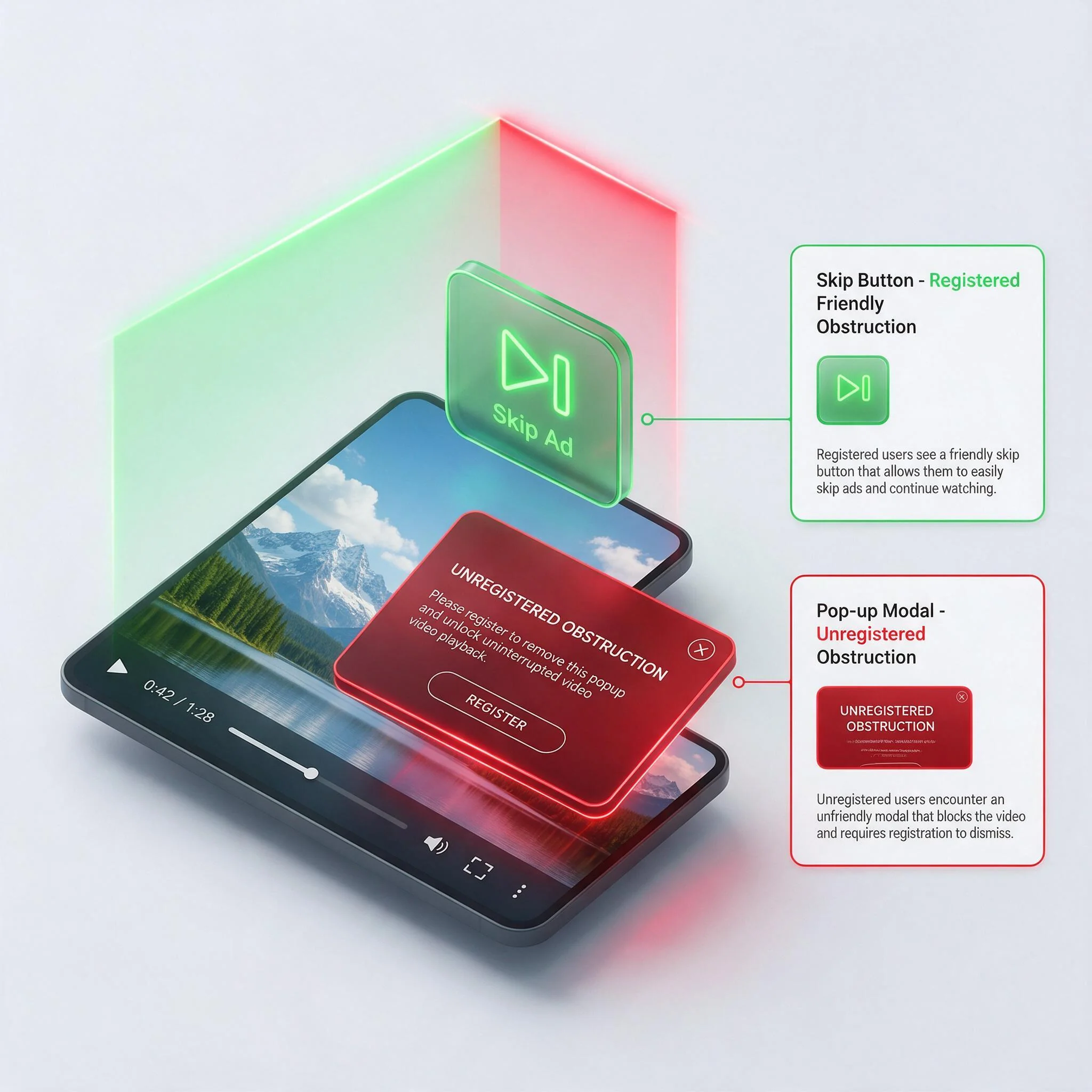
If a full-bleed transparent gesture overlay or a persistent control bar is not explicitly registered with the AdSession as a friendly obstruction, the OM SDK geometry calculator flags 100% of the overlapping area as obstructed. Consequently, the impression never satisfies the MRC viewability standard (50% of pixels in view for 1 continuous second for display, or 2 continuous seconds for video), even when the video plays completely uninhibited in the center of the user's screen.
OM SDK v1.5 provides the addFriendlyObstruction method on the AdSession instance so engineers can whitelist essential player UI controls. Every registered friendly obstruction must specify three parameters: the native view reference, an OMIDFriendlyObstructionType enum value (CLOSE_AD, MEDIA_CONTROLS, NOT_VISIBLE, or OTHER), and a concise detailedReason string (maximum 50 characters, restricted to ASCII alphanumeric characters and spaces) explaining why the view overlaps the creative.
import com.iab.omid.library.partnername.adsession.AdSession
import com.iab.omid.library.partnername.adsession.FriendlyObstructionPurpose
import android.view.View

class OmidVideoSessionManager(
    private val adSession: AdSession,
    private val playerContainerView: View
) {
    fun bindPlayerAndRegisterControls(
        closeButton: View,
        skipOverlayButton: View,
        muteToggleButton: View,
        transparentTouchInterceptor: View
    ) {
        // 1. Register the primary native container holding the video surface
        adSession.registerAdView(playerContainerView)

        // 2. Whitelist essential UI overlays with strict IAB purpose enums
        adSession.addFriendlyObstruction(
            closeButton,
            FriendlyObstructionPurpose.CLOSE_AD,
            "Interstitial close button top right corner"
        )
        adSession.addFriendlyObstruction(
            skipOverlayButton,
            FriendlyObstructionPurpose.CLOSE_AD,
            "Video skippable countdown button bottom right"
        )
        adSession.addFriendlyObstruction(
            muteToggleButton,
            FriendlyObstructionPurpose.MEDIA_CONTROLS,
            "Audio mute and unmute toggle control"
        )
        adSession.addFriendlyObstruction(
            transparentTouchInterceptor,
            FriendlyObstructionPurpose.NOT_VISIBLE,
            "Transparent gesture listener for tap events"
        )

        // 3. Start the OMID measurement session before firing impressionLoaded
        adSession.start()
    }
}
When auditing your OM SDK v1.5 pipeline across web video, mobile app, and CTV properties, enforce three mandatory QA checks before pushing to production. First, verify in Charles Proxy or network packet captures that verificationNotExecuted tracking beacons are never firing due to restricted webview Content Security Policy (CSP) headers blocking vendor measurement domains. Second, validate using the IAB Tech Lab OM SDK Compliance Validation script that every custom UI overlay above the ad view is declared via addFriendlyObstruction with a valid enum and compliant ASCII description. Third, confirm in outbound OpenRTB 2.6 bid samples that api: [7], omidpn, and omidpv persist intact through every mediation adapter and Prebid wrapper hop. Maintaining strict compliance across all three layers ensures your inventory captures full programmatic demand density and maximum verified clearing prices.